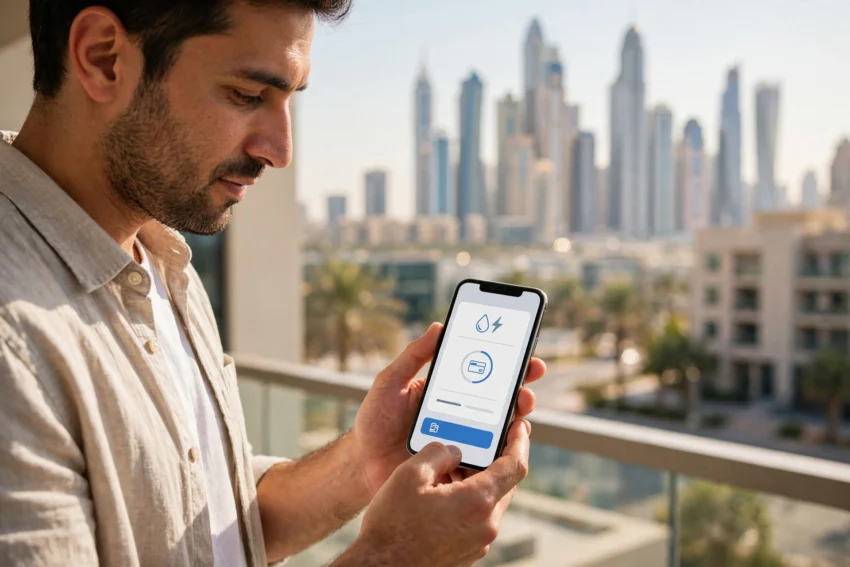
If you live in Dubai, the DEWA bill is one of those monthly tasks that never goes away. DEWA, the Dubai Electricity and Water Authority, supplies electricity and water to almost every home and business in the emirate, and every month a new bill arrives for the power that ran your air conditioning and the water that filled your taps. The good news is that paying it has become genuinely easy. You no longer need to visit a customer happiness centre or queue at a payment machine. In 2026, you can pay DEWA bill online in a couple of minutes from your phone or laptop, and there are more ways to do it than most residents realise.
This guide walks through every official way to pay your DEWA bill online, step by step, so you can pick the method that suits you best. It also covers how to check your bill first, what the payment limits and fees are, when your bill is due, and a few simple habits that help you avoid late fees and keep your monthly costs under control.
What You Need Before You Pay
Before you start, it helps to have one number ready: your DEWA contract account number. You will find it on any paper or emailed bill, usually near the top, and it is also shown in the DEWA Smart App once you sign in. If you only want to check how much you owe, you can use the View Bill page on dewa.gov.ae with just your account number or premise number, and you do not need to log in at all.
To actually make a payment, most online methods ask you to sign in with either your DEWA online ID or UAE Pass. UAE Pass is the UAE’s national digital identity, and it is worth setting up even if you only use it for DEWA, because the same login opens dozens of other government services. If you have not set it up yet, our guide on how to set up UAE Pass in 2026 walks through the whole process, including the in-person verification step.
One more thing worth knowing: DEWA lets you pay someone else’s bill too, in part or in full, as long as you have their contract account number. That is handy if you help a family member or a tenant with their utilities.
Method 1: Pay Through the DEWA Smart App
For most residents, the DEWA Smart App is the simplest way to pay DEWA bill online. The app is free on the Apple App Store, Google Play and the Huawei AppGallery, and it brings your bill, your payment options, your consumption history and your receipts together in one place.
Here is how it works. Open the app and sign in with your DEWA ID or UAE Pass. Your current bill appears on the dashboard, along with the amount due and the due date. Tap to pay, choose your payment method, check the amount, and confirm. A receipt is emailed to your registered email address after the payment goes through.
The app accepts credit and debit cards, Apple Pay on iPhones and Samsung Pay on Samsung phones. You can also pay by direct bank debit through the UAE Payment Gateway System, which redirects you to your own bank’s secure login page. The app also shows your usage over time, so you can see whether your electricity use spiked in a particular month and work out why. That consumption view is one of the most useful features in the app, because a bill that suddenly jumps usually has a cause, such as a faulty appliance or a change in routine, and spotting it early saves money.
Method 2: Pay on the DEWA Website
If you prefer a larger screen, the official DEWA website at dewa.gov.ae offers the same service. Sign in with your DEWA ID or UAE Pass, open the billing section, view the outstanding balance, and complete the payment. The steps mirror the app closely, so switching between the two does not require learning a new process.
The website is a good choice if you manage household accounts on a computer, or if you like to download and save your receipts straight away. Card payments made through the online portal can be up to AED 750,000 in a single transaction, while Apple Pay and Samsung Pay payments are capped at AED 500,000 per transaction. For an ordinary household bill, those limits will never come into play, but they matter for businesses paying large commercial bills.
Method 3: EasyPay — Pay Without Signing In
Not everyone wants to recover an account password just to pay a bill, and that is exactly what EasyPay is for. EasyPay lets you check what you owe and pay using only your DEWA contract account number, without signing in first.
Enter your EasyPay number, which for a normal bill is simply your contract account number, and press Enquire. The outstanding amount appears on screen. To complete the payment you then sign in with your DEWA user ID or UAE Pass. EasyPay is also the easiest way to pay a bill for someone else, since all you need is their account number.
DEWA itself warns residents to use only the official channels listed on its website or app, and to be suspicious of anyone claiming to represent DEWA through another route. If a message or a call asks you to pay a DEWA bill through an unfamiliar link, treat it as a scam and check the amount yourself on dewa.gov.ae or in the app.
Method 4: Dubai Now and Other Government Apps
Dubai Now, the app from Digital Dubai, brings more than 130 government services into one place, and paying your DEWA bill is one of them. Sign in through UAE Pass, choose Bills, then DEWA Bill, and pay by credit or debit card, Apple Pay, Noqodi wallet or AutoPay, which schedules the payment automatically each month.
The Empay UAE app is another official option, accepting credit cards, direct debit and bank transfer. If you already use Dubai Now for other services, such as renewing a licence plate or paying a traffic fine, keeping your DEWA payments there too means one less app to open each month. Our guide to checking and paying UAE traffic fines covers another common Dubai Now task.
Method 5: Banks, Wallets and Offline Options
Your bank probably offers DEWA bill payment too. Most UAE banks let you add DEWA as a biller inside their own mobile banking app, so the bill can be settled alongside your other monthly payments. Some residents prefer this because everything stays inside one banking app.
Beyond the banks, DEWA lists several other channels. Noqodi, the UAE’s government payment gateway, can be used for net banking or through its e-wallet. Tayseer is designed for customers paying several DEWA accounts at once. Etisalat also offers a payment route, and you can pay in person at ENOC and EPPCO petrol stations or through cash and cheque deposit machines at Emirates NBD and Emirates Islamic branches. Online payments through DEWA’s own app, website and EasyPay generally reflect promptly, while bank and ATM payments can take a little longer to appear, so allow extra time if your due date is close.
Fees and Payment Limits to Know
Paying by card through DEWA’s own channels is generally free of extra charges, but a few methods carry small fees, and it is worth knowing them before you choose.
Noqodi net banking charges AED 5 plus VAT for every payment of AED 25,000, and AED 20 plus VAT for payments above AED 75,000. The Noqodi e-wallet is cheaper for small bills, at AED 1 plus VAT for every payment of AED 100 and AED 3 plus VAT for payments above AED 200. Direct debit through the UAE Payment Gateway System carries no DEWA fee, although your bank may apply its own processing charge, and the transaction limit is AED 500,000.
For most households, the practical advice is simple: pay by card or mobile wallet through the DEWA app or website and you will not pay any fee. Only reach for Noqodi if your bank requires it, and check the fee before confirming.
When Is Your DEWA Bill Due?
DEWA bills are generally due within about fifteen days of the billing date, and a late charge of around two percent of the outstanding amount may apply if you miss the deadline. The exact due date is printed on every bill and shown in the app, so check it rather than guessing. Setting up AutoPay through the DEWA app or Dubai Now is the easiest way to make sure a bill is never late, and it is especially useful if you travel often or manage more than one property.
It is also worth understanding what makes up the total on your bill. DEWA charges electricity and water on a slab tariff, which means the price per unit rises as your monthly consumption rises. On top of the tariff, a fuel surcharge applies and changes with fuel prices. In November 2026, for example, the fuel surcharge was 6 fils per kilowatt-hour of electricity and AED 1.10 per cubic metre of water. Your bill also includes Dubai Municipality housing and sewerage fees, which DEWA collects on the municipality’s behalf. Since the March 2025 billing cycle, water has been billed in cubic metres rather than gallons, so older guides that quote rates per gallon are out of date.
How to Lower Your DEWA Bill
Paying the bill is only half the story. The other half is keeping it as low as you can, and small changes add up over a Dubai summer.
Start with the air conditioning, which is usually the biggest single cost in a Dubai home. Setting the thermostat a degree or two higher, servicing the unit regularly and sealing gaps around doors and windows all reduce the load. Next, look at water. Fixing a dripping tap or a running toilet can save a surprising amount over a month, and DEWA’s own Smart Living dashboard shows your daily consumption, so you can spot a leak from an unexplained jump in usage.
Finally, make a habit of checking the bill itself each month. Compare it with the previous month, look at the consumption graph in the app, and question anything that looks wrong. If a figure seems far too high, contact DEWA through the app, the website or its customer care line on 04 601 9999, which is also the number for DEWA’s WhatsApp service. Mistakes are rare, but catching one early is far easier than disputing it months later.
Frequently Asked Questions
Can I pay my DEWA bill without a DEWA account?
Yes. EasyPay lets you check the amount due with only your contract account number, and the View Bill page on dewa.gov.ae shows your bill with just your account or premise number. You will need to sign in with a DEWA ID or UAE Pass to complete the payment itself.
What is the fastest way to pay DEWA bill online?
The DEWA Smart App is usually the fastest, because your bill and payment methods are already in one place and the payment takes under two minutes. The DEWA website is just as quick if you are on a computer.
Can I pay someone else’s DEWA bill?
Yes. You can pay another person’s DEWA bill, in part or in full, using their contract account number through EasyPay, the app or the website.
What happens if I pay my DEWA bill late?
DEWA bills are generally due within about fifteen days of the billing date, and a late charge of around two percent of the outstanding amount may apply. Setting up AutoPay is the simplest way to avoid late fees.
Is it safe to pay my DEWA bill online?
Yes, as long as you use DEWA’s official channels: the DEWA Smart App, dewa.gov.ae, EasyPay, Dubai Now or your own bank’s app. DEWA warns that it is not responsible for payments made outside its official channels, so never pay through a link sent to you by an unknown number or email.
Conclusion
Paying your DEWA bill online in 2026 takes only a few minutes, whichever route you choose. The DEWA Smart App is the best all-round option for most residents, the website suits anyone who prefers a computer, EasyPay is ideal when you do not want to sign in just to check an amount, and Dubai Now keeps all your government payments in one place. Whichever method you pick, use only DEWA’s official channels, check your due date each month, and consider AutoPay so a busy month never turns into a late fee. And if your bill ever looks unusually high, the consumption graph in the app is the first place to look.
For more everyday life in the Emirates, see our guides to getting around on Dubai Metro, buses and the Nol card and to applying for or renewing your Emirates ID. Paying the bills on time is one small part of settling into life in Dubai, and once the routine is set up, it mostly takes care of itself.