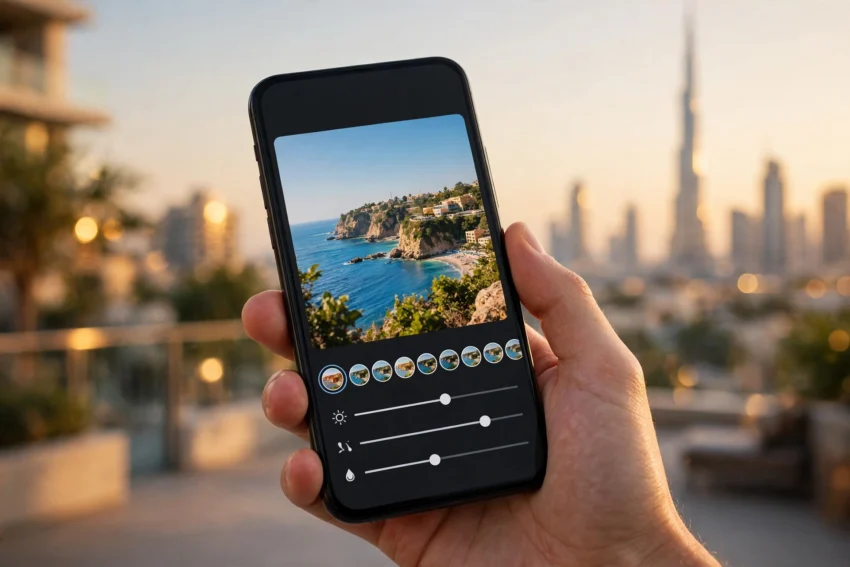
From a golden sunset at Jumeirah Beach to a family dinner in Deira, the best camera most of us carry is the phone in our pocket. The difference between an average snapshot and a photo worth sharing is usually a few minutes of editing — and you do not need to pay for it. The best free photo editing apps in 2026 cover everything from quick one-tap fixes to serious colour grading, and several of them cost nothing at all, with no ads and no watermark.
The catch is that “free” means different things in different apps. Some are genuinely free, some give you a useful free tier and keep the fancy tools behind a subscription, and some add a watermark unless you pay. This guide compares the strongest free options honestly, so you can pick the one that fits how you actually take photos in the UAE.
How to Choose the Right Free Photo Editor
Before downloading half the App Store, think about what you edit most. A good free editor should tick most of these boxes:
- No watermark on free exports. A watermark ruins an otherwise good photo, so this is the first thing to check.
- The tools you need are actually free. Cropping, brightness, colour and filters should not sit behind a paywall.
- It works offline. You will not always have Wi-Fi on a desert drive or a metro ride, and some editors need a connection for their best tools.
- It suits your phone. Heavy editors eat storage and battery, which matters on a phone that is already full of photos. If storage is tight, our guide on how to free up phone storage in 2026 can help before you install anything new.
- Export quality stays high. A free app that shrinks your photos to a small size is not really free — it costs you quality.
With that in mind, here are the apps worth your time.
1. Snapseed — Best Overall Free Editor
Snapseed, made by Google, is still the app every other free editor is measured against in 2026. It is completely free: no ads, no subscription, no watermark and no premium tier trying to sell you something after every edit.
What makes it stand out is control. You get more than 30 tools and filters, including curves, selective adjustments that let you brighten just one part of a photo, a healing tool for removing small distractions, perspective correction for crooked buildings, and support for RAW files from phones that shoot in RAW. Google redesigned the iPhone app in 2025 with version 3.0, and while some long-time users needed a little time to adjust to the new layout, the tools themselves remain as strong as ever.
Snapseed is best for anyone who wants proper editing on a phone without paying anything. Its limits are honest ones: there is no desktop version, and it has no generative AI tools such as sky replacement, so if you want to swap a dull sky for a dramatic one, you will need a different app.
2. Adobe Lightroom Mobile — Best for Colour and RAW Photos
Lightroom Mobile is the free version of Adobe’s famous photo editor, and its free tier is more capable than many people realise. You get its excellent light, colour and detail sliders, curves, presets and a built-in camera, all without paying. It handles RAW files well, which makes it a natural choice if your phone shoots in RAW or you take photography even slightly seriously.
The free tier also includes batch editing, so you can apply the same look to a whole set of holiday photos in one go — handy after a weekend in Ras Al Khaimah when you come home with two hundred shots of the same mountains.
The trade-off is that many of Lightroom’s headline AI features, such as Generative Remove and cloud sync for full-size photos, need a paid Adobe plan. You also need a free Adobe account to sign in. Adobe moves features between the free and paid tiers from time to time, so check what is included before you settle into a workflow.
3. Canva — Best for Social Media Posts
Canva is less a traditional photo editor and more a design tool, and that is exactly why it earns a place on this list. Its free plan includes photo editing tools such as filters, adjustments and a limited background remover, plus thousands of templates for Instagram posts, stories, invitations and thumbnails.
If your goal is to turn a photo into a finished post — with text, a frame or a layout — Canva is the fastest route. It runs on the web, on phones and on desktop, so you can start an edit on your phone and finish it on a laptop.
The catch is that background removal and many AI tools are Pro features, and premium elements carry a watermark until you pay. For straightforward editing and design, though, the free plan is genuinely useful.
4. Picsart — Best for Creative Effects and Collages
Picsart is part photo editor and part creative playground. Alongside standard editing such as cropping, adjusting and filtering, it offers stickers, cut-outs, effects, collages, text and a wide set of AI tools. It is popular with younger users and anyone who likes bold, playful edits for social media.
The free version shows ads, and many AI tools, effects and assets need a paid Picsart plan. Some exports made with premium tools can also carry a small watermark. If you can live with ads and you enjoy experimenting, it is one of the most fun free editors available.
5. Google Photos — Best for Quick Fixes You Already Have
The simplest answer is often the one already on your phone. Google Photos on Android — and Apple Photos on iPhone — now handle cropping, lighting, colour and even object removal for free. Google Photos’ Magic Editor tools have become genuinely useful for quick fixes, although some of the more advanced AI edits depend on your phone model.
There is nothing to install and nothing to learn, which makes it the best starting point for anyone who only edits occasionally. When a photo needs more than a quick fix, move it into Snapseed or Lightroom from this list.
6. VSCO — Best for Film-Style Looks
VSCO built its name on film-style presets that give photos a warm, grainy, analogue feel, and it still does that better than almost anyone. The free version includes a solid set of presets and basic editing tools, and it is a favourite among people who want a consistent look across their feed.
A VSCO membership unlocks the full preset library, so the free tier is best thought of as a taster. If you fall in love with one of the free presets, though, you may never need to pay.
7. Photopea — Best Free Photoshop-Style Editor on a Computer
Photopea is not a phone app at all — it runs entirely in your web browser and opens Photoshop files. It gives you layers, masks and advanced tools without paying a cent, and it exports without a watermark. The free version shows ads, and the interface expects you to learn a little, but for anyone who edits on a laptop and wants Photoshop-style control for free, it is the strongest option available.
It pairs well with the phone apps above: edit on the go with Snapseed, then do the detailed work in Photopea at home.
8. Pixlr — Best for Fast AI Edits in the Browser
Pixlr is another browser-based editor with a generous free tier and a strong set of AI tools, including background removal and object removal. It is quick to open, works on any device with a browser, and is a good choice when you need one fast AI fix without installing anything.
As with most freemium editors, the free plan shows ads and some tools sit behind a subscription, so it works best as a second tool rather than your only editor.
Which Free Photo Editor Should UAE Users Pick?
If you only install one app, make it Snapseed. It is the only editor on this list that is fully free with no ads, no watermark and no subscription, and its toolset covers almost everything a phone photographer needs. Add Lightroom Mobile if you shoot RAW or care about colour, and Canva if you make social posts with text.
For quick everyday fixes, start with Google Photos or Apple Photos — they are already there, and they are faster than opening a separate app. And if you edit on a computer, Photopea gives you professional tools in a browser tab.
One practical tip for UAE users: heavy editing apps and large photo libraries use real storage and mobile data. Keep your phone’s storage under control and back up your edited photos to the cloud before a trip, especially if you are heading somewhere with patchy coverage. Fast 5G helps when you are uploading full-resolution edits, and our guide to 5G in the UAE in 2026 explains the coverage and plans available across the Emirates.
Tips for Better Photos in the UAE
Good editing starts with a good photo. A few habits make a visible difference here:
- Shoot in the golden hour. The hour before sunset softens the harsh desert light and gives you warm tones that need almost no editing.
- Clean your lens. Dust and humidity are constant companions in the UAE, and a quick wipe fixes more photos than any filter.
- Use HDR for bright scenes. The contrast between a bright sky and a shaded building is extreme here, and HDR keeps detail in both.
- Keep the original. Always edit a copy or use an app that keeps your original safe, so you can start again if an edit goes too far.
Frequently Asked Questions
What is the best completely free photo editing app in 2026?
Snapseed is the best completely free option. It is made by Google, has no ads, no subscription and no watermark, and includes professional tools such as curves, selective adjustments and RAW support.
Can I edit photos for free without a watermark?
Yes. Snapseed, Google Photos, Apple Photos and Photopea all export without a watermark on their free plans. Lightroom Mobile and Canva also export without a watermark for their free tools, although some premium features in those apps may add one.
Is Lightroom really free on mobile?
Lightroom Mobile has a generous free tier that includes its core editing tools, presets and batch editing. Many AI features and full-resolution cloud sync need a paid Adobe plan, and you need a free Adobe account to sign in.
Which free photo editor is best for Instagram?
Canva is the best choice for Instagram posts because it combines photo editing with templates, text and layouts. Pair it with Snapseed for the actual photo editing and you have a complete free workflow.
Do these apps work offline in the UAE?
Snapseed, Lightroom Mobile’s basic tools, Google Photos and Apple Photos all work offline once installed. Canva, Photopea and Pixlr need an internet connection because they run in the browser or sync online, so download what you need before travelling to areas with weak coverage.
Conclusion
You do not need to pay for good photo editing in 2026. Snapseed gives you professional tools for free, Lightroom Mobile handles colour and RAW files beautifully, Canva turns photos into polished social posts, and the editor already on your phone covers quick fixes. Pick one main editor, learn its tools properly, and your photos from around the UAE will look noticeably better — without spending a dirham.
Start with Snapseed, add Lightroom or Canva when you need them, and keep your originals backed up. The best free photo editing apps in 2026 are more capable than the paid apps of a few years ago, and for most people in the UAE, they are all you will ever need.