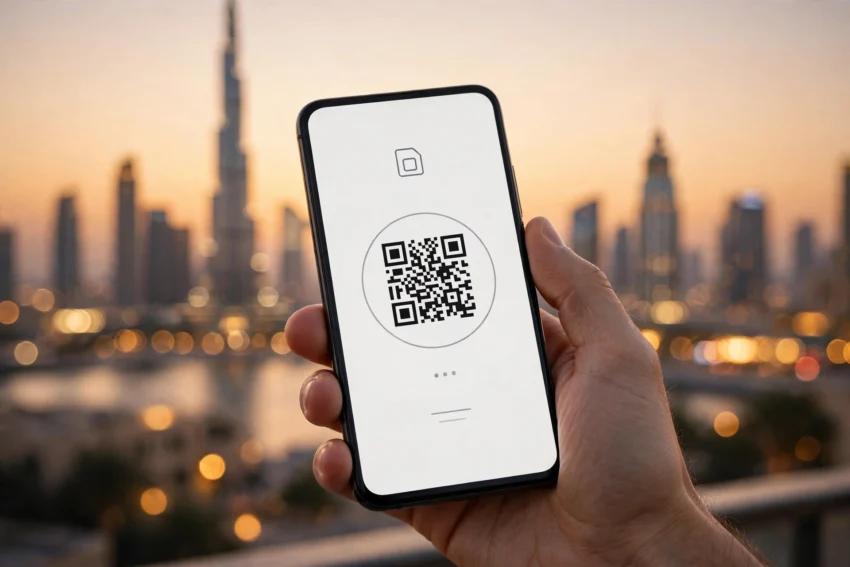
If you have arrived in Dubai or Abu Dhabi recently, you may have noticed something changing at the airport and in the phone shops: fewer people are asking for a small plastic SIM card. Instead, they are scanning a QR code, waiting a minute, and walking out connected. That is the eSIM at work, and in 2026 it has become the simplest way to get mobile service in the UAE, whether you live here or are just passing through for a week.
An eSIM is a digital SIM built into your phone. It does the same job as the plastic card — it connects you to a mobile network, gives you a number and a data plan — but there is nothing to insert, nothing to lose, and nothing to swap when you travel. You can even keep two numbers on one phone: your home number and a UAE number, side by side.
This guide explains how eSIM in the UAE works in 2026, how residents and travellers can set one up step by step, what it costs, and which option makes sense for your trip or your everyday life.
What Is an eSIM and Why It Matters in the UAE
An eSIM, short for embedded SIM, is a tiny chip soldered inside your phone at the factory. Instead of inserting a card, you download a mobile plan onto that chip by scanning a QR code or through your operator’s app. Most modern phones support it, including recent iPhones, Samsung Galaxy models, Google Pixel phones and many others.
The UAE is a good place for eSIM technology. The country has two licensed mobile operators, e& (formerly Etisalat) and du, and both have supported eSIM for several years. The UAE also has fast 4G and 5G networks in its cities and along the highways between emirates, so a digital SIM performs just like a physical one. For a country where millions of visitors arrive every year and where many residents juggle a work number and a personal number, the eSIM removes a real hassle.
There is a practical benefit that travellers notice first. With a travel eSIM, you can buy and install your UAE data plan before you even board your flight. When the plane lands, your phone connects within minutes — no queue at the airport shop, no tiny SIM tray tool, and no risk of losing your home SIM card in a hotel room.
Is eSIM Available in the UAE in 2026?
Yes. eSIM is fully legal and widely available in the UAE in 2026. Both e& and du offer eSIM for residents on prepaid and postpaid plans, and both sell tourist eSIMs for visitors. Virgin Mobile UAE, which runs on the du network, also sells eSIM plans, including short-term tourist options you can buy online.
There is one rule to know before you start. The UAE requires mobile lines to be registered with an identity document. Residents register with their Emirates ID, and visitors register with their passport. That is why a local eSIM usually involves a quick identity check at a store, kiosk or in the operator’s app. Travel eSIMs bought from international providers are different: they are data-only plans that you install yourself, and they do not give you a UAE phone number.
eSIM Options for UAE Residents
If you live in the UAE, switching to an eSIM is usually free or very cheap, and your number stays the same.
e& (Etisalat) eSIM
e& is the UAE’s largest operator, with strong coverage in cities and on desert routes. Existing e& customers can convert a physical SIM to an eSIM through the e& app or by visiting an e& store with their Emirates ID. New customers can get an eSIM when they sign up for a prepaid or postpaid plan. The eSIM supports the full service: calls, SMS and data, including 5G where coverage is available.
du eSIM
du is the country’s second network and its eSIM works the same way. In the du app, you can choose your line and switch it to eSIM, or buy a new eSIM plan. Conversion through the app generally carries no separate charge — you pay for the plan itself, not for the switch. You will need your Emirates ID for registration, and the activation usually completes within minutes of scanning the QR code.
Virgin Mobile UAE
Virgin Mobile runs on the du network and is popular with younger users and short-term residents because everything is managed in its app. Its eSIM can be bought online and delivered as a QR code, which suits people who prefer not to visit a store at all.
How to Set Up an eSIM in the UAE: Step by Step
Setting up an eSIM takes about ten minutes once you have your documents ready. Here is the process that works for both e& and du.
Step 1: Check That Your Phone Supports eSIM
Before anything else, confirm your phone is eSIM compatible and not locked to another carrier. On an iPhone, go to Settings, then General, then About, and look for an EID number — if it is there, your phone supports eSIM. On Android, the path varies, but you can usually check under Settings, then Connections or Network, and look for the option to add an eSIM. If you bought your phone outside the UAE, also check that it is not carrier-locked to your home operator.
Step 2: Get Your eSIM From the Operator
Residents can request an eSIM in the operator’s app or at a store. You will need your Emirates ID. Visitors need a passport, and the line is usually registered at an airport counter, a mall kiosk or a store. In some cases the operator sends the eSIM as a QR code by email or shows it on screen in the app.
Step 3: Scan the QR Code and Activate
On iPhone, open Settings, then Mobile Service or Cellular, then Add eSIM, and scan the QR code with your camera. On Samsung and other Android phones, go to Settings, then Connections, then SIM Manager, and choose Add eSIM. Make sure you are connected to Wi-Fi during this step, because the phone downloads the mobile plan from the internet. Activation usually takes a few minutes, and you will see the network name appear at the top of your screen.
Step 4: Label Your Lines and Choose Defaults
If you keep two lines — for example, your home SIM and your new UAE eSIM — give each one a clear label such as Home and UAE. Then choose which line handles mobile data and which one handles calls. Most people set the UAE eSIM as the data line while travelling and keep their home line active only for incoming calls and messages. That way you stay reachable without paying roaming charges on your home number.
Best eSIM Options for Tourists and Short Visits
Visitors have more choice than ever in 2026, and the right option depends on how long you are staying and how much data you need.
The Free Tourist SIM at the Airport
Visitors arriving at Dubai International Airport are offered a free du tourist SIM with 10 GB of data valid for 24 hours, available at immigration. It is a useful way to get online the moment you land — for maps, ride-hailing and messaging your hotel — while you decide on a longer plan. A similar free welcome offer with a smaller data allowance is available on arrival in Abu Dhabi.
Local Tourist Plans From e& and du
Both operators sell visitor plans as eSIMs as well as physical SIMs. Entry-level tourist packs start at around AED 49 and typically include a few gigabytes of data and around 30 flexi minutes for local and international calls, valid for 28 days. Mid-range packs cost roughly AED 99 to AED 149 for more data, and unlimited data passes are available for about AED 199 to AED 200 for seven days. Virgin Mobile sells short tourist eSIMs too, with unlimited data options starting from around AED 100 for three days. Prices change with promotions, so it is worth confirming the current packs in the operator’s app or at the counter before you buy.
International Travel eSIMs
Providers such as Airalo, Holafly and Nomad sell data-only UAE eSIMs that you buy online and install before you travel. Prices are usually in US dollars — for example, around $8 for 1 GB over a week, or roughly $18 to $26 for 5 to 10 GB. These are convenient because there is no registration queue and no passport check, but they do not include a UAE phone number, calls or SMS. They are best for travellers who mainly need maps, messaging and browsing.
For most visitors, the simple rule is this: if you want a local number for calls, bookings and delivery apps, get a local eSIM from e& or du. If you only need data and want everything sorted before you fly, a travel eSIM is the easier choice.
eSIM vs Physical SIM in the UAE
For everyday use, an eSIM and a physical SIM give you the same network, the same speed and the same number. The differences are practical. An eSIM cannot be lost or damaged, it frees the SIM tray for a second physical SIM if your phone has one, and switching operators is a matter of scanning a new code rather than visiting a shop. A physical SIM is still useful if you change phones often, since moving an eSIM to a new phone means deleting it from the old one and setting it up again.
One thing to remember is that an eSIM is tied to the phone it is installed on. If you delete the eSIM profile from your phone, or if your phone is lost, you will need a new QR code from your operator. Keep the original QR code or email safe until you are sure the line is working.
What Does an eSIM Cost in the UAE?
For residents, converting an existing line to eSIM is generally free through the operator’s app, and a new eSIM line costs the same as the plan you choose — there is no extra fee for the digital format. For tourists, the cheapest useful packs start at around AED 49, with mid-range options near AED 99 to AED 149 and weekly unlimited data around AED 199 to AED 200. All UAE mobile prices include 5% VAT in the displayed price on du, while e& and Virgin Mobile may list prices before VAT, so check the final amount before paying.
Common eSIM Problems and Quick Fixes
Most eSIM problems are small and easy to fix. If the QR code will not scan, check that you are on Wi-Fi and that your phone’s software is up to date, then ask the operator to reissue the code. If the eSIM installs but shows no service, restart the phone and check that the line is switched on in your mobile settings. If data works but calls do not, confirm which line is set as your default for voice calls.
One important note for visitors: internet calling apps such as WhatsApp calls and FaceTime are restricted on UAE networks, and a local SIM or eSIM does not change that. Text messaging on those apps works normally. If you need to make voice calls home, use the flexi minutes included in your tourist plan, which cover international calls.
Tips for Residents and Travellers
Keep your home SIM active for banking messages and two-factor codes if you travel, since many banks send verification codes by SMS to your registered number. If you use an eSIM for travel, install it while you still have Wi-Fi at home or at the airport, not after your data has run out. And if you are staying in the UAE for a month or more, compare the 28-day visitor packs with a regular prepaid eSIM plan — the regular plan is often better value for longer stays.
Dubai’s push toward smart services means more of daily life here runs through your phone, from government apps to parking payments. If you have not explored them yet, our guide to 10 UAE Government Apps Every Citizen Should Know shows which ones are worth installing first. New residents may also want to read UAE Golden Visa in 2026: Who Can Apply, Key Benefits and How to Apply, and if you are setting up life in the Emirates, The Complete Guide to Essential Business Solutions in the UAE for Entrepreneurs covers the services most newcomers need.
Frequently Asked Questions
Is eSIM legal in the UAE?
Yes. eSIM is fully legal and supported by the UAE’s licensed operators, e& and du, as well as Virgin Mobile UAE. You need an Emirates ID as a resident or a passport as a visitor to register a local line.
Can tourists get an eSIM in Dubai?
Yes. Tourists can get an eSIM from e& or du at the airport or in stores, or buy a data-only travel eSIM online before travelling. Visitors arriving at Dubai International Airport can also pick up a free tourist SIM with 10 GB of data for 24 hours.
How much does a tourist eSIM cost in the UAE?
Tourist eSIM packs from e& and du start at around AED 49 for a few gigabytes of data and 30 flexi minutes over 28 days. Unlimited data for seven days costs about AED 199 to AED 200. Travel eSIMs from international providers start at roughly $8 for 1 GB.
Can I keep my home number and use a UAE eSIM at the same time?
Yes, if your phone supports dual SIM. You can keep your physical home SIM in the phone and add the UAE eSIM as a second line, then choose which line handles data and which handles calls.
What happens to my eSIM if I change phones?
An eSIM is tied to the phone it was installed on. When you switch phones, delete the eSIM from the old phone and ask your operator for a new QR code or set it up again through the operator’s app.
Conclusion
The eSIM has quietly become the easiest way to stay connected in the UAE. Residents can switch in minutes without losing their number, and visitors can land, scan a code and be online before they reach the taxi rank. With tourist plans starting at around AED 49 and travel eSIMs available before you fly, there is an option for every kind of trip.
Before you buy, check that your phone supports eSIM, decide whether you need a local number or just data, and confirm the current prices in the operator’s app. Do that, and your UAE eSIM will be the least complicated part of your trip — which is exactly how it should be.