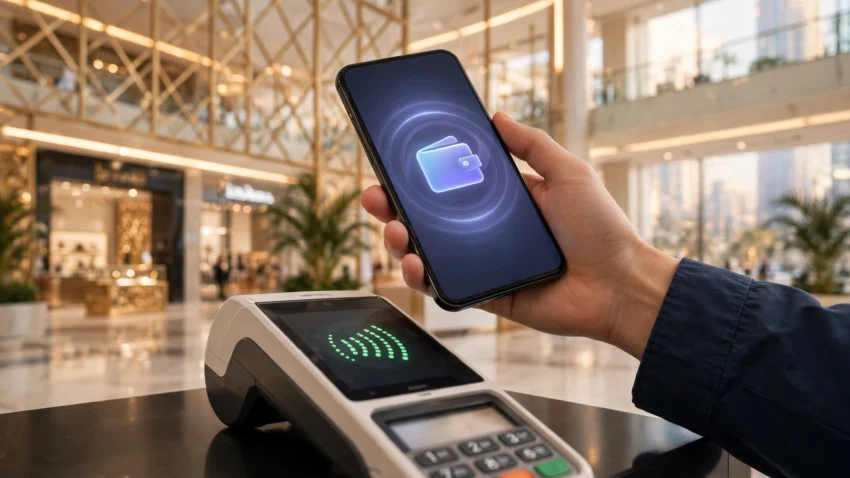
Walk into almost any shop in Dubai or Abu Dhabi today and you will see the same thing: a customer tapping a phone or a watch on the card machine, collecting a receipt, and walking out in seconds. Cash has not disappeared from the UAE, but for most everyday spending it has become the backup option rather than the default. Digital payments UAE 2026 is no longer a story about early adopters — it is simply how the country pays.
For residents, that shift brings a practical question. Apple Pay, Google Pay and Samsung Pay all work here, and they sit alongside strong local options such as e& money, Payit and Careem Pay. Each one does something slightly different, and the best choice depends on your phone, your bank and what you actually pay for. This guide compares them side by side, explains the local payment rails running underneath, and shows you how to set up a wallet in a few minutes.
Why the UAE Went Cashless Faster Than Most Countries
The UAE had several advantages that made digital payments take off quickly. Smartphone use is extremely high, contactless card machines are standard in malls, taxis, petrol stations and even small cafeterias, and government services have pushed residents toward digital channels for years — from paying a traffic fine to renewing a licence online.
The numbers back up what you can see at any checkout. A 2026 survey of 1,050 UAE residents by Dubai-based consultancy SixthFactor found that 70.7% had become more willing to use digital wallets such as Apple Pay, Google Pay and Samsung Wallet instead of cash or physical cards over the past few years. Willingness was highest among higher-income households, but even among residents earning under AED 10,000 a month, nearly six in ten said the same.
There is also a practical reason the shift feels so smooth here: the country built shared infrastructure behind the apps. Aani, the UAE’s instant payment platform, lets people send money between participating banks almost instantly, often using just a mobile number. Jaywan, the domestic card scheme operated by Al Etihad Payments, a subsidiary of the Central Bank of the UAE, has been issued alongside international card schemes since 2024. These systems do not appear on your phone screen, but they are part of why local wallets work so reliably.
Apple Pay in the UAE
Apple Pay arrived in the UAE in 2017, and it is now the default wallet for the country’s large iPhone population. It works with cards from virtually every major bank in the country, including FAB, Emirates NBD, ADCB and Mashreq, and acceptance is effectively universal: anywhere a contactless card works, Apple Pay works too.
The appeal is simplicity. You add your bank card once, confirm it with your bank, and then pay by holding your iPhone or Apple Watch near a terminal and authenticating with Face ID, Touch ID or your passcode. Your real card number is never shared with the shop; instead, each payment uses a device-specific token, which is one reason banks and security experts recommend it.
Apple Pay also works inside apps and on websites, so paying for a Careem ride, a food delivery or an online order usually takes one tap instead of typing in card details. The main limitation is that it is not a standalone account: it depends on the card inside it, so it cannot hold a balance, send money to a friend by phone number, or pay a DEWA bill on its own. For tap-to-pay at the till, though, it is hard to beat.
If you are new to the country, setting up the digital side of life in the UAE goes hand in hand with this — see our guide on UAE Pass in 2026: how to set it up and use it for government services.
Google Wallet in the UAE
Google Wallet — the app most people still call Google Pay — is the Android equivalent, and it comes pre-installed on Android phones sold in the UAE. It supports cards from all the major local banks, and like Apple Pay it works anywhere contactless payments are accepted.
Beyond payments, Google Wallet stores boarding passes, loyalty cards, tickets and membership cards, so it can replace several items in a physical wallet at once. Payments are protected by encryption and by your phone’s lock screen or biometric check, and your card number is tokenised in the same way as with Apple Pay.
For Android users, the choice is usually straightforward: if your phone is a Pixel or another non-Samsung Android, Google Wallet is the natural home for your cards. It also pairs well with a local wallet app for the things it cannot do, such as sending money to a friend’s phone number.
Samsung Wallet in the UAE
Samsung Wallet bundles Samsung Pay together with digital IDs, keys, loyalty cards and tickets, and it supports cards from leading UAE banks including Emirates NBD and FAB. It comes pre-installed on Galaxy phones, so Samsung owners rarely need to install anything extra.
Its standout feature is MST, or Magnetic Secure Transmission, which lets a Galaxy phone pay at older card terminals that do not have NFC. That matters less every year as terminals are upgraded, but in a small shop with an old machine it can be the difference between paying by phone and reaching for a physical card.
The catch is obvious: Samsung Wallet only works on Samsung hardware. Within the Galaxy world it is excellent. Outside it, it does not exist. If you own a Galaxy phone, though, there is little reason to use anything else for tap-to-pay.
Local Wallets Worth Knowing: e& money, Payit and Careem Pay
The international wallets are brilliant at the checkout, but they cannot do everything. That is where the UAE’s home-grown wallets come in — and most residents end up with two or three apps installed: one for tapping to pay, one for sending money, and one for bills and remittances.
e& money is the wallet from e&, the telecom group behind Etisalat. It is licensed by the Central Bank of the UAE and offers a prepaid card, international money transfers and bill payments. Because it is not tied to a single bank account, it is a popular choice for people who want a separate spending balance or a straightforward way to send money home.
Payit, from First Abu Dhabi Bank, is one of the most widely used local wallets in the country. It plugs directly into Aani, the UAE’s instant payment platform, so transfers to other bank customers can arrive almost immediately. It also handles bill payments and merchant payments, and it carries FAB’s regulatory standing behind it.
Careem Pay sits inside the Careem super-app, which many residents already use for rides and food delivery. Its strength is convenience: the same balance that pays for a ride can pay a bill or send money to another Careem user, without opening a separate app.
Travellers will find the same logic applies to staying connected as to paying — our eSIM in the UAE in 2026 guide explains how to get mobile data sorted before you even reach the checkout.
Aani and Jaywan: The Local Rails Behind the Apps
It helps to understand two names you will keep hearing. Aani is the UAE’s instant payment platform, run by Al Etihad Payments. It allows near-instant account-to-account payments and request-to-pay features between participating banks and wallets, often using just a mobile number. When Payit or your banking app offers an instant transfer, Aani is usually doing the work.
Jaywan is the UAE’s domestic card scheme, also operated by Al Etihad Payments, with cards issued since 2024. Most residents will not need to think about Jaywan directly, but its growth means more local transactions can be processed domestically, and some banks now issue Jaywan-branded cards alongside Visa or Mastercard.
Neither of these replaces the wallets on your phone. Think of them as the plumbing: invisible when it works, and the reason everything feels instant.
Which Wallet Should You Use?
There is no single winner, because the wallets do different jobs. Here is a quick comparison:
Apple Pay — Best for: iPhone owners, tap-to-pay. Works on: iPhone, Apple Watch, Mac. Standout feature: widest acceptance, tokenised security.
Google Wallet — Best for: Android owners, tickets and passes. Works on: Android phones. Standout feature: pre-installed, stores passes and loyalty cards.
Samsung Wallet — Best for: Galaxy owners. Works on: Samsung phones. Standout feature: MST works on older terminals.
e& money — Best for: transfers, prepaid spending. Works on: any smartphone. Standout feature: Central Bank licensed, remittances.
Payit — Best for: instant local transfers, bills. Works on: any smartphone. Standout feature: Aani integration, FAB-backed.
Careem Pay — Best for: everyday spending in one app. Works on: any smartphone. Standout feature: rides, food and payments in one place.
A sensible setup for most residents is one tap-to-pay wallet matched to your phone, plus one local wallet for transfers and bills. A traveller visiting for a week can usually get by with Apple Pay or Google Wallet alone, as long as their home bank’s card is supported.
Before choosing a mobile plan to run all of this on, it is worth comparing the networks — see our comparison of the best internet plans in the UAE in 2026 from Etisalat and du.
How to Set Up a Digital Wallet in the UAE
Setting up any of these wallets takes only a few minutes. The steps are broadly the same:
- Open the wallet app on your phone — Wallet on iPhone, Google Wallet on Android, Samsung Wallet on Galaxy, or download e& money, Payit or Careem from your app store.
- Add your card by tapping the plus icon and either scanning the card or entering its details manually.
- Verify with your bank. Your bank will usually send an SMS code or ask you to confirm inside its own app. This step exists to stop anyone else adding your card.
- Set a default card if you add more than one, and check that contactless payments and biometric authentication are switched on.
- Test it on a small purchase — a coffee or a metro top-up — so you know it works before you rely on it.
For local wallets such as e& money and Payit, you will also need your Emirates ID details and a UAE mobile number to complete registration, and verification can take a little longer than adding a card to Apple Pay. Tourists should note that most local wallets require UAE residency, while Apple Pay and Google Wallet work with foreign cards as long as the issuing bank supports them.
Staying Safe When You Pay by Phone
Digital wallets are generally safer than carrying a physical card, but a few habits keep them that way. Keep your phone’s lock screen on and use Face ID, a fingerprint or a strong passcode rather than a simple swipe pattern. Never share the verification code your bank sends you — no genuine bank or wallet provider will ask for it. Check your transactions in your banking app once a week so you spot anything unfamiliar quickly, and if your phone is lost, use Find My iPhone or Find My Device to lock it and suspend your cards from another device.
Buy now, pay later services such as Tabby and Tamara are also common at UAE checkouts. They can be useful, but treat them like any other form of credit: splitting a purchase into instalments still means owing the money, so only use them for spending you can afford.
Frequently Asked Questions
Does Apple Pay work in the UAE?
Yes. Apple Pay has worked in the UAE since 2017 and is accepted almost everywhere contactless cards are accepted, including malls, taxis, petrol stations and the Dubai Metro. It works with cards from most major UAE banks.
Can tourists use digital wallets in the UAE?
Yes, in most cases. Apple Pay, Google Wallet and Samsung Wallet work with foreign cards as long as the card’s issuing bank supports the wallet. Local wallets such as e& money and Payit generally require a UAE mobile number and Emirates ID, so they are mainly for residents.
What is Aani in the UAE?
Aani is the UAE’s instant payment platform, operated by Al Etihad Payments, a subsidiary of the Central Bank of the UAE. It enables near-instant transfers between participating banks and wallets, often using just the recipient’s mobile number.
Which is the best digital wallet in the UAE?
It depends on your phone. iPhone owners will find Apple Pay the smoothest option, Android owners should use Google Wallet, and Galaxy owners get extra features from Samsung Wallet. For sending money and paying bills, add a local wallet such as Payit or e& money alongside it.
Is it safe to pay with a phone in the UAE?
Yes. Wallet payments use tokenisation, so your real card number is never shared with the merchant, and every payment needs your fingerprint, face or passcode. This is generally safer than handing over a physical card.
Conclusion
Digital payments in the UAE in 2026 are less about choosing one winning app and more about building a small combination that covers everything: a tap-to-pay wallet for your phone, and a local wallet for transfers, bills and remittances. Apple Pay, Google Wallet and Samsung Wallet all do the checkout job brilliantly, while e& money, Payit and Careem Pay handle the everyday money tasks the international wallets cannot.
If you have just moved to the Emirates, set up your wallet before your first week is out — and pair it with the digital essentials such as UAE Pass and a local mobile plan. Paying by phone here is not a novelty. It is simply how the country works.
Disclaimer: This article is for general information only and is not financial advice. Wallet features, fees, supported banks and availability can change, so please confirm the latest details with your bank or the wallet provider before making a decision.